Designing the digital experience for an online learning platform empowering young people through creative education
Draw Your Life is a free online learning platform designed to help young people in the UK develop practical creative skills and unlock new personal and professional opportunities. The platform combines education, accessibility and engagement, while also repositioning institutional initiatives in a more contemporary and relatable way.
The challenge was to design an engaging and accessible platform that simplifies the learning journey, communicates trust and inclusivity, and motivates users to explore creative skills. At the same time, the experience needed to balance educational value with a modern, appealing visual language capable of attracting a younger audience.
MY ROLE
• Designed the end-to-end experience for an interactive learning platform • Defined user journeys to support progressive skill development • Structured content and interactions to balance learning and engagement • Developed a system to encourage continuity and user motivation
THE RESULT
• Created a more structured and accessible learning experience • Improved user engagement through interactive and guided content • Supported continuous learning and skill progression • Delivered a scalable platform for creative education
Figma · FigJam · Jira · Adobe CC · Notion · Google Drive
COLLABORATORS
Product Team · Developers · Content Creators · Stakeholders
PROJECT DURATION
3 Months
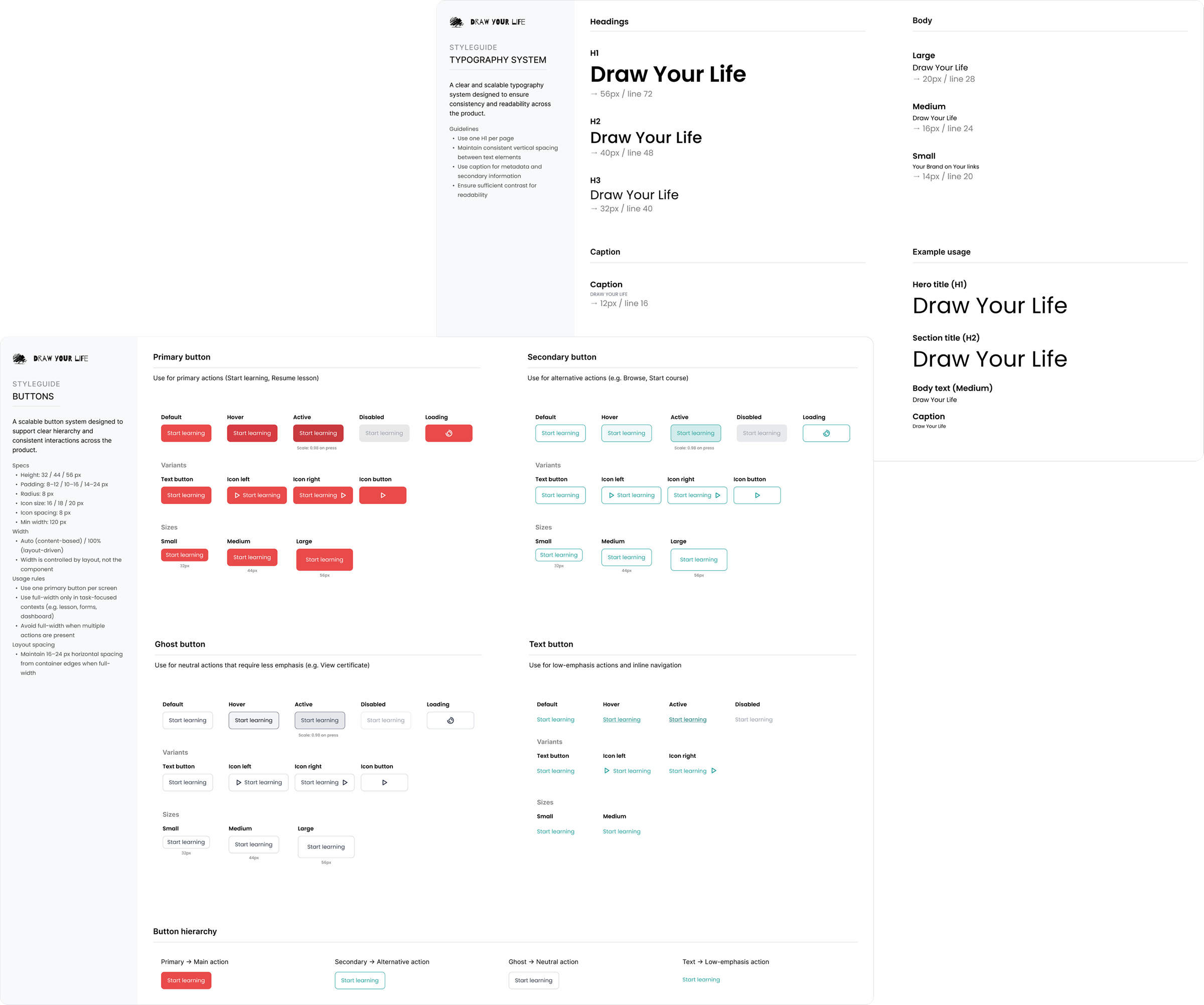
Design System
Building a scalable system to ensure consistency across features and content
Designed a scalable design system to ensure visual consistency and support the platform’s growth.
The system was designed to support both learning and exploration, balancing accessibility with a modern and engaging visual language tailored to a younger audience.
This approach helped maintain clarity across different content types and user journeys.
Key principles:
• Defined a clear typographic hierarchy to improve readability across learning content and course navigation • Established color usage guidelines to reinforce hierarchy and accessibility • Built a flexible button system with consistent states and variants • Designed reusable components tailored to a content-rich learning platform • Enabled faster iteration and smoother handoff between design and development across the platform
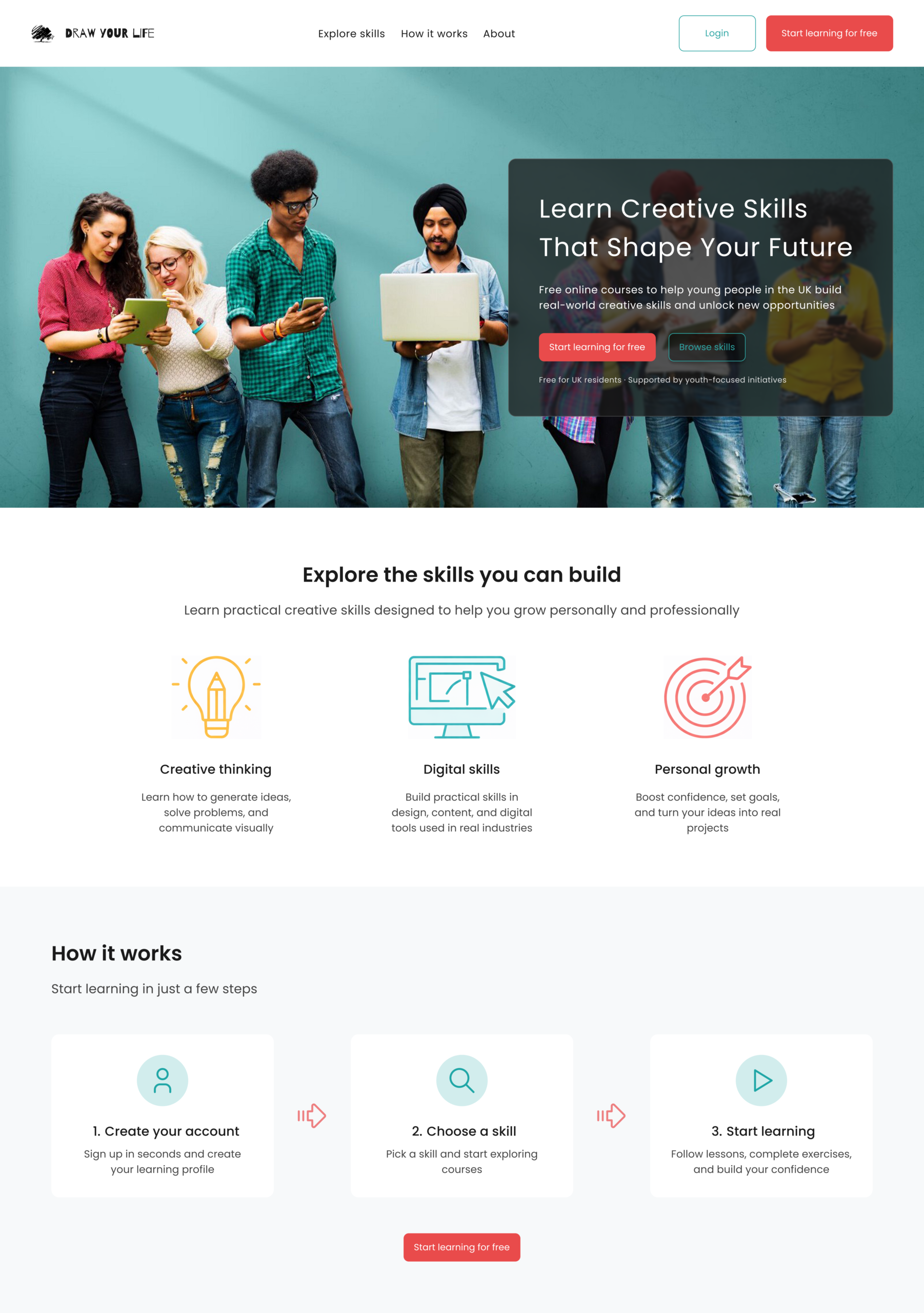
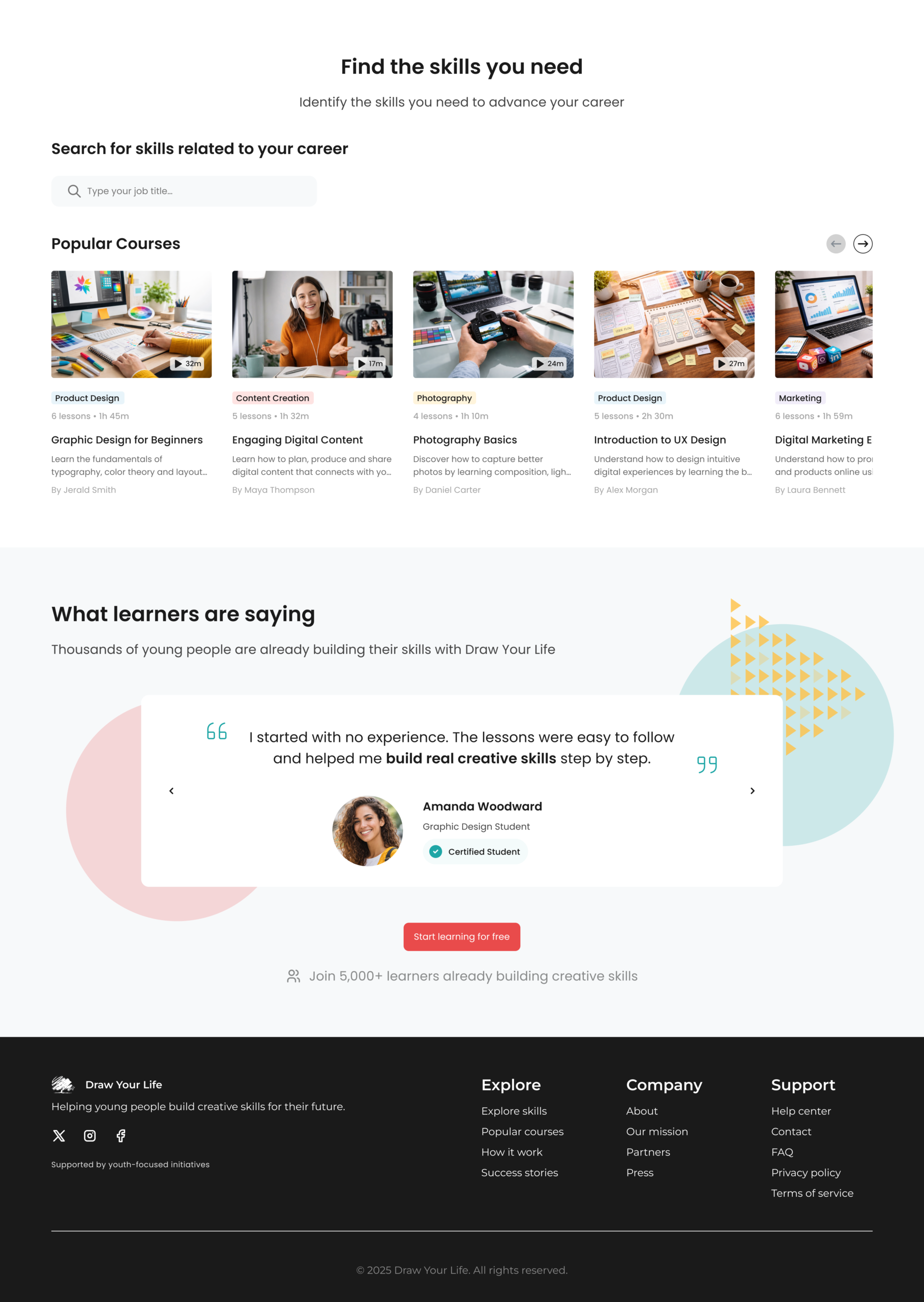
Homepage
Designing an engaging entry point that communicates value and drives exploration
The homepage introduces Draw Your Life as an accessible learning platform designed to help young people explore creative skills and unlock new opportunities.
The layout combines a strong visual entry point with clear content sections, guiding users from discovery to action while maintaining a simple and engaging experience tailored to a younger audience.
This structure reduces cognitive load and helps users quickly understand how to get started.
Key design decisions:
• A prominent hero section communicates the platform’s value and encourages immediate action • A structured layout progressively introduces skills, benefits and learning paths • Visual icons and simple language make content easy to understand and approachable • Modular course cards allow users to quickly browse and compare learning options • A step-by-step “How it works” section reduces friction and supports onboarding • Clean spacing and minimal interface elements create a focused and accessible experience
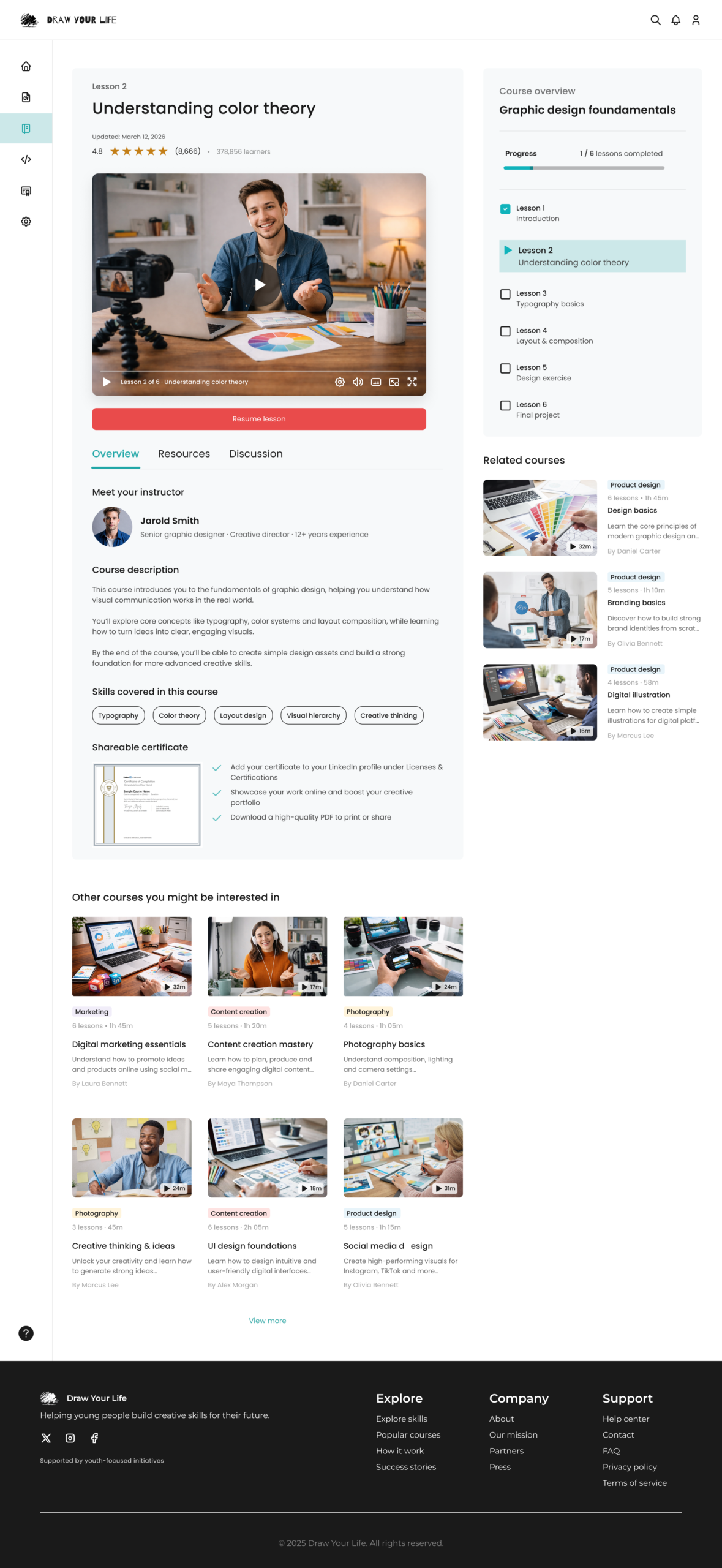
Learning Experience
Structuring content to support progress, engagement, and intuitive navigation
Content & focus
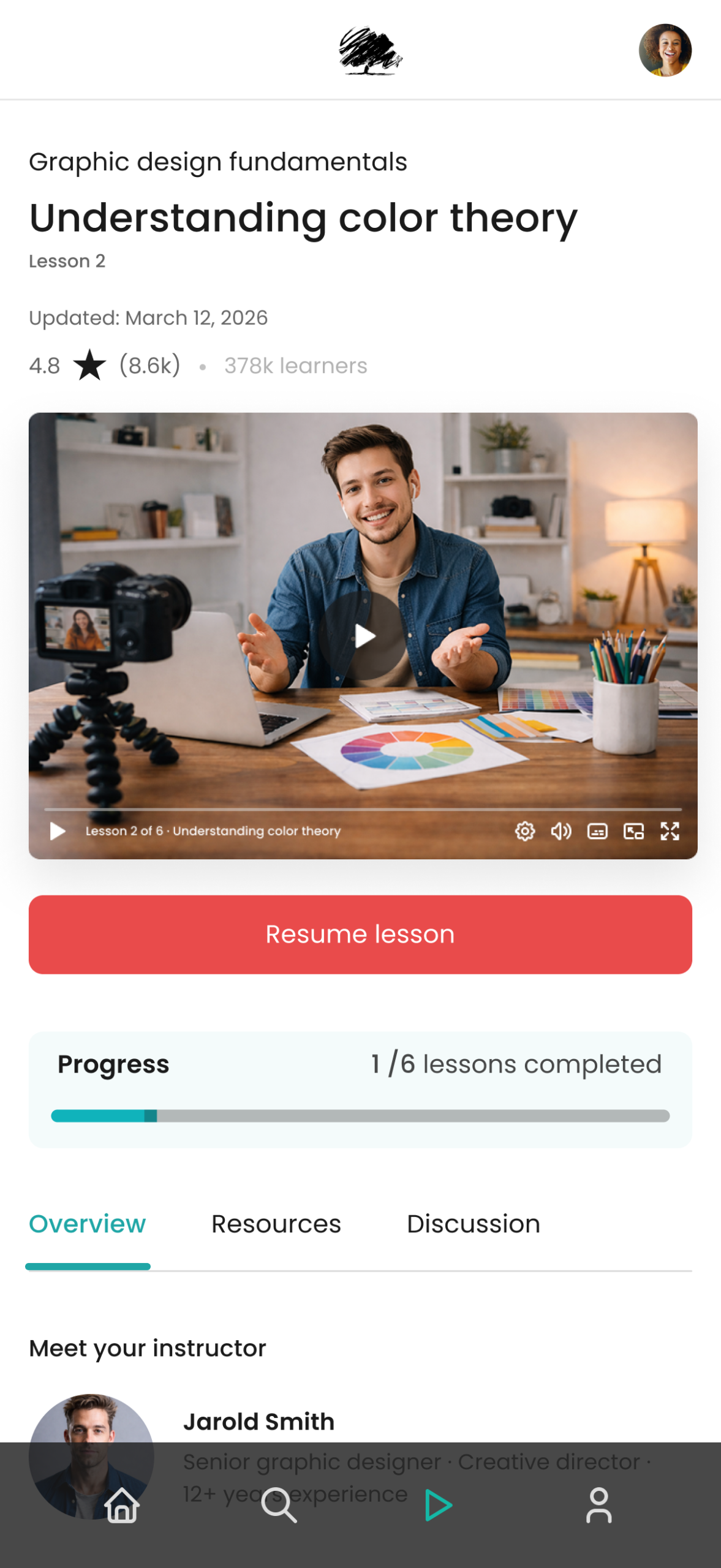
• A prominent video player keeps the lesson as the primary focus • Minimal interface distractions support concentration during learning • Clear visual hierarchy prioritizes content over navigation
Navigation & structure
• A persistent course sidebar allows users to track progress and switch between lessons • A clear lesson hierarchy helps users understand their position within the course • Tabs organize content into overview, resources and discussion
Engagement & continuity
• A “Resume lesson” action enables users to quickly continue where they left off • Progress indicators motivate completion and reduce drop-off • A related courses section encourages continued learning beyond the current lesson
Supporting content
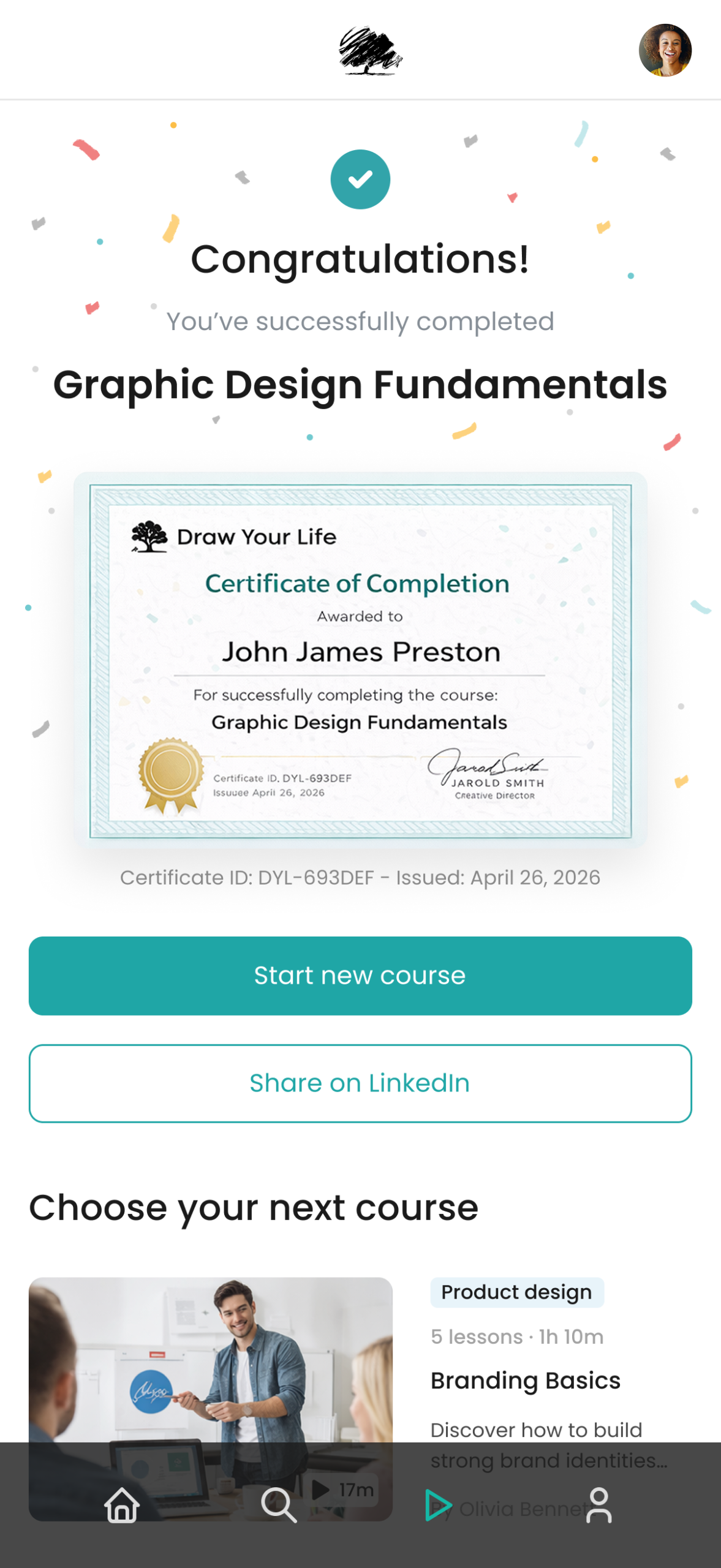
• Instructor information builds trust and provides context • Course description and skill tags clarify expectations and outcomes • A shareable certificate reinforces motivation and perceived value
Mobile Experience
Adapting the learning journey for seamless access on smaller screens
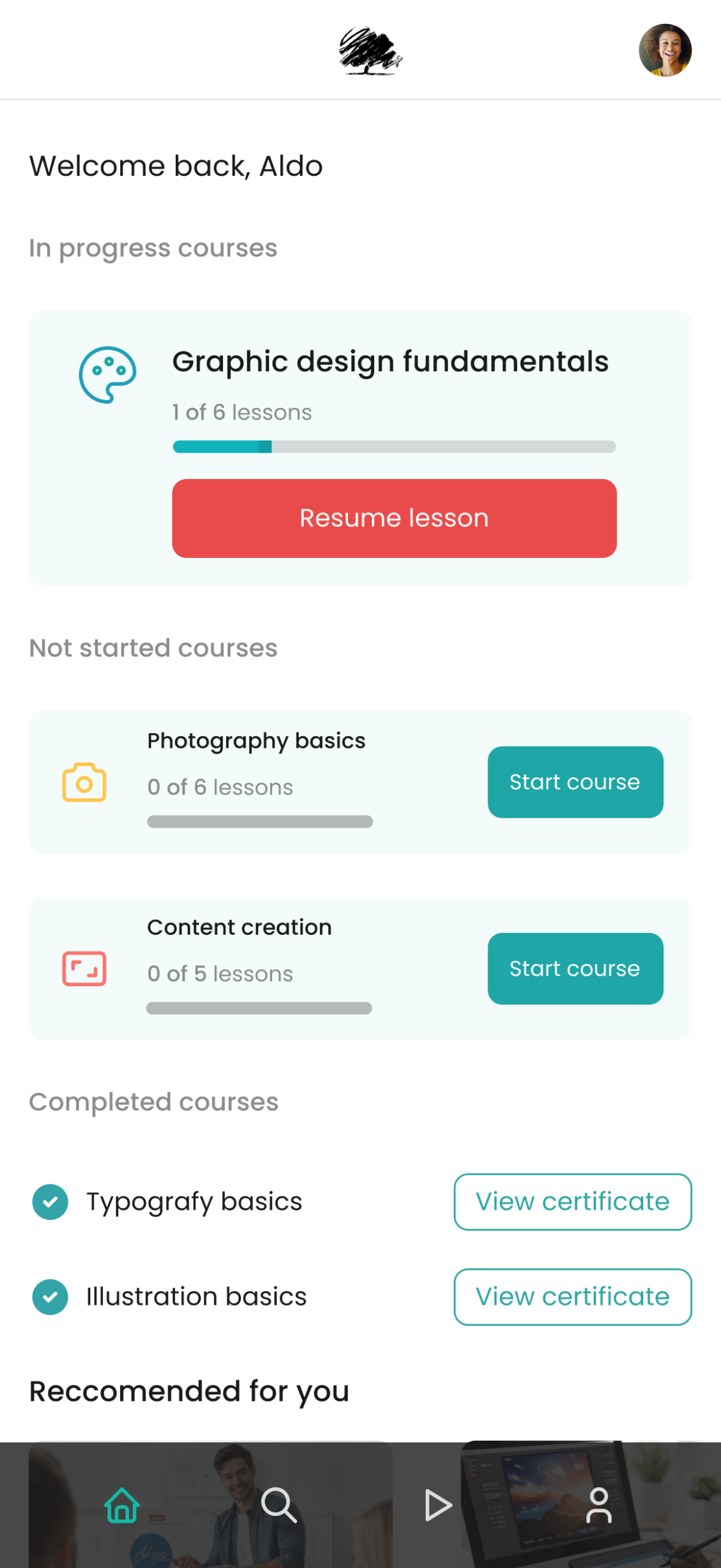
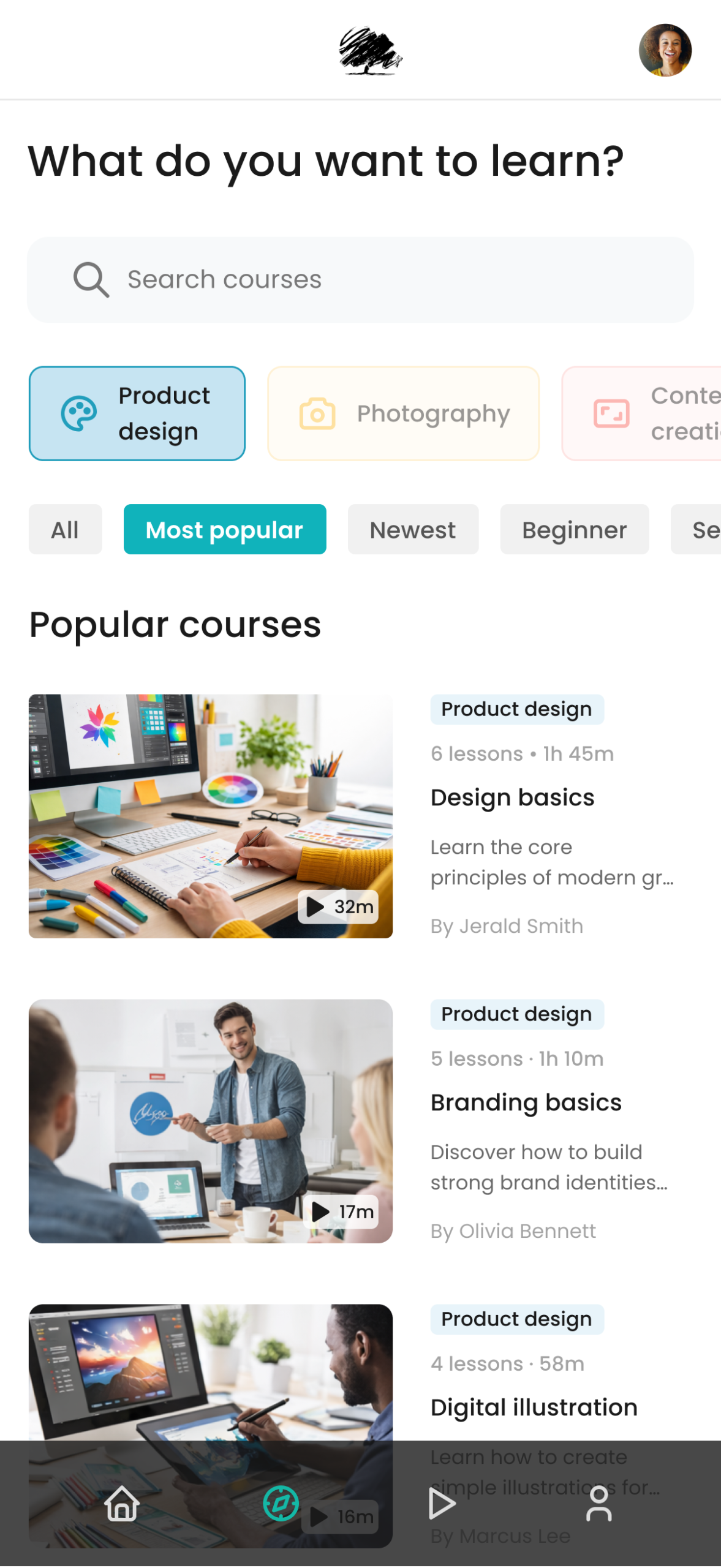
The interface prioritizes key actions such as continuing lessons, tracking progress and exploring new courses, supporting learning on the go.
Key mobile considerations:
• A streamlined navigation system provides quick access to courses, progress and key sections • Modular content cards make it easy to browse and compare learning options • Primary actions such as “Resume lesson” are always visible and easy to access • A simplified layout reduces cognitive load and supports focused learning • Progress indicators and course status help users stay engaged and motivated • Clear hierarchy and spacing ensure readability and comfortable scrolling
Launch Event Collateral
Extending the digital identity into physical touchpoints for a cohesive brand experience
Event touchpoints
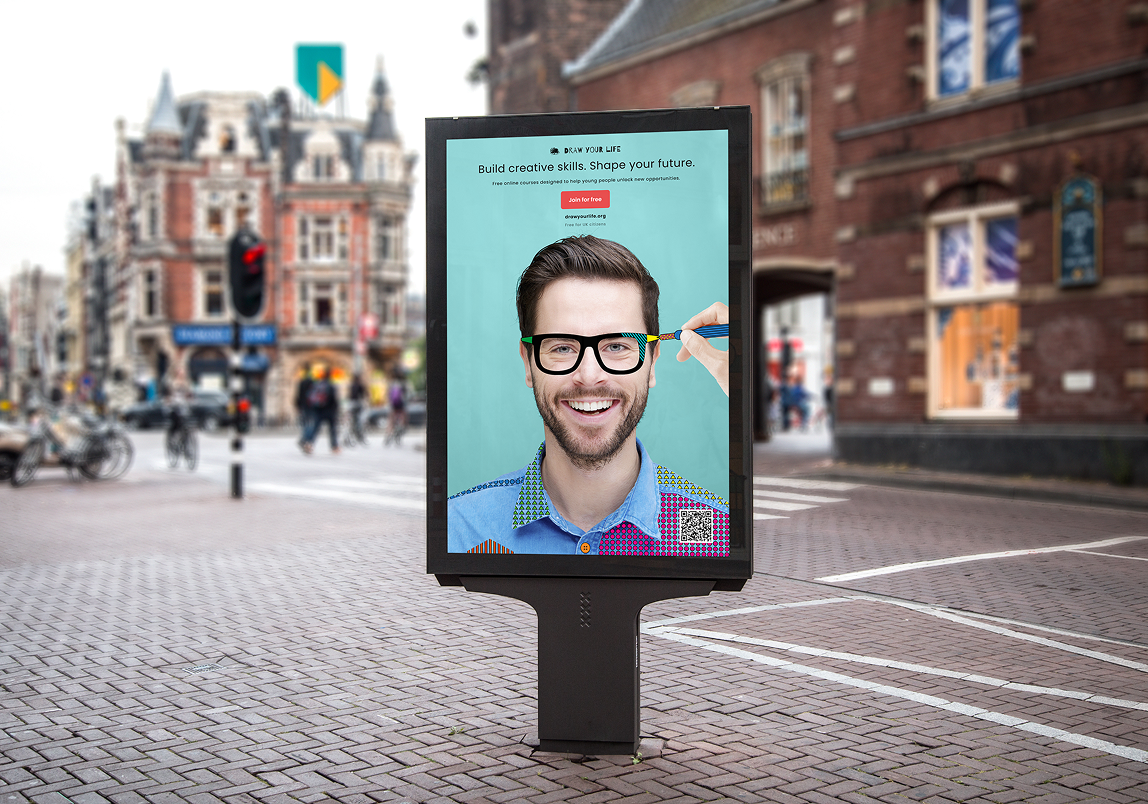
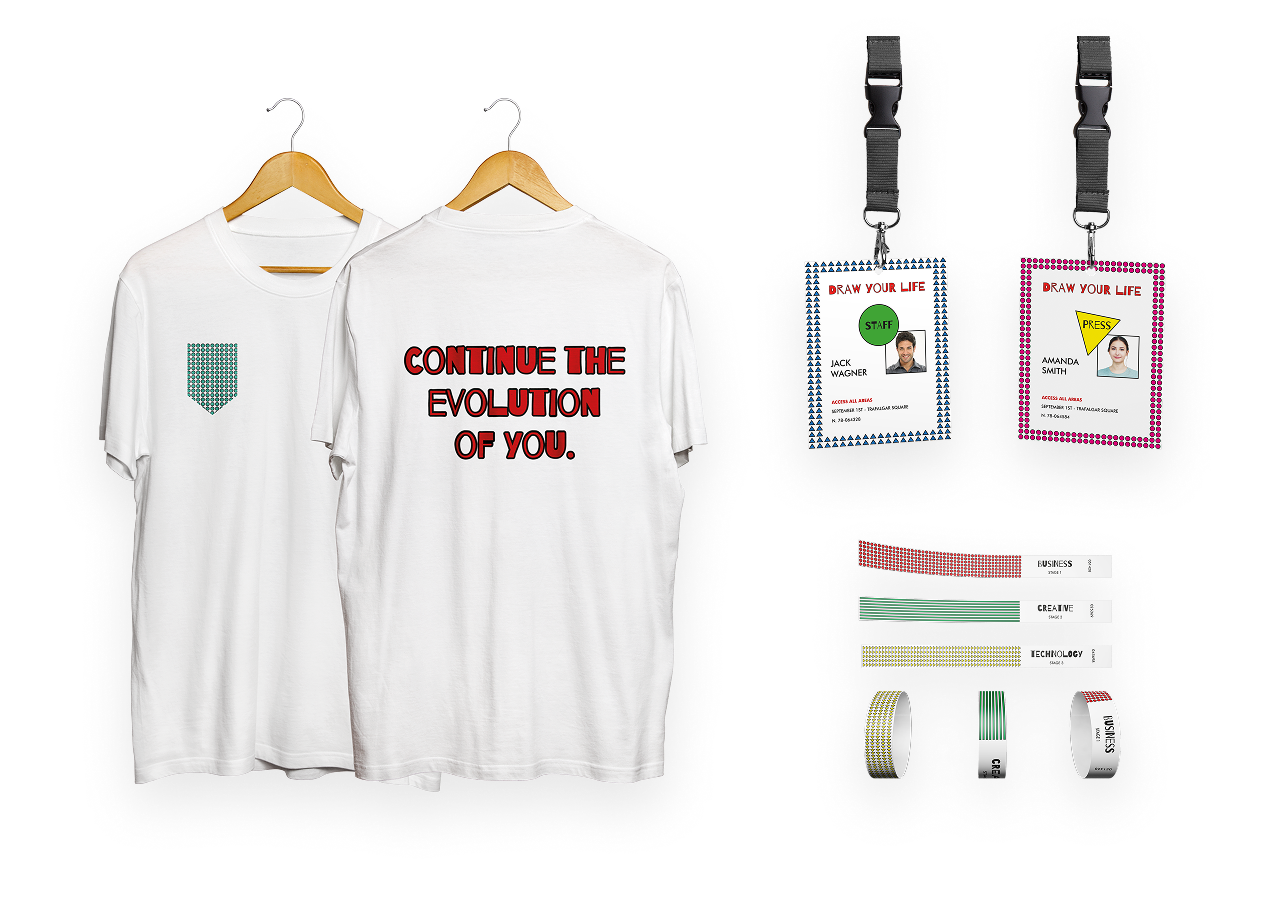
• Campaign poster optimized for outdoor visibility and instant recognition, featuring a QR code for seamless platform access • Branded merchandise designed to strengthen identity and foster community • Event materials such as lanyards and passes, supporting on-site organization and ensuring brand consistency
Key Outcomes
A scalable learning ecosystem designed to empower young creatives in discovering and developing their skills through accessible, real-world education
Strategic Outcomes
Defined a clear product vision focused on inclusivity, accessibility, and practical learning
Built a flexible design system to support fast iteration and future platform growth
Improved content discoverability through a structured and intuitive navigation
Reduced cognitive load by simplifying complex learning flows and interactions
Established a strong foundation for cross-device experiences
LEARNING EXPERIENCE
Enhanced engagement through structured, goal-oriented learning paths
Enabled users to learn at their own pace with clear progress tracking
Balanced inspirational and practical content to support both exploration and execution
Clear content supported by strong hierarchy, balanced layout, and visual consistency
Designed an experience that supports both beginners and more advanced users